【前端学习】仿Deepseek官网AI聊天网站React
摘要: 本文介绍了Next.js中动态路由的实现方法及其在AI对话应用中的实践。通过在文件夹名称中使用方括号(如[slug])创建动态路由片段,可以接收URL参数并传递给页面组件。文章详细展示了如何使用React和AI-SDK构建一个完整的AI对话系统,包括: 前端实现:包含消息展示、输入处理和状态管理的聊天界面 后端API:通过DeepSeek API处理对话请求并返回流式响应 动态路由应用:为
聊天页
Routing: Dynamic Routes | Next.js
Next.js App Router 中 “动态路由片段(Dynamic Segment)”,用于创建带参数的动态路由
动态路由片段:通过将文件夹名称用方括号 [] 包裹(如 [folderName])来创建动态路由片段。它允许路由接收参数,比如示例中 app/blog/[slug]/page.tsx 里的 [slug],就是用于匹配博客文章的动态参数(可以是 a、b、c 等不同值)
export default async function Page({
params,
}: {
params: Promise<{ slug: string }>
}) {
const { slug } = await params
return <div>My Post: {slug}</div>
}
页面组件 Page 会接收 params 属性,其中包含动态片段的参数(这里是 slug)。通过 await params 可以获取到具体的参数值,进而渲染对应内容(比如不同 slug 对应的博客文章)
动态片段的参数会以 params 属性的形式,传递给 layout、page、route 和 generateMetadata 等函数。例如:
- 访问 URL /blog/a 时,params 为 { slug: 'a' };
- 访问 URL /blog/b 时,params 为 { slug: 'b' };
对于每一次chat都需要新增一个页面,通过chat_id的不同,来表示不同的对话
新增动态路由
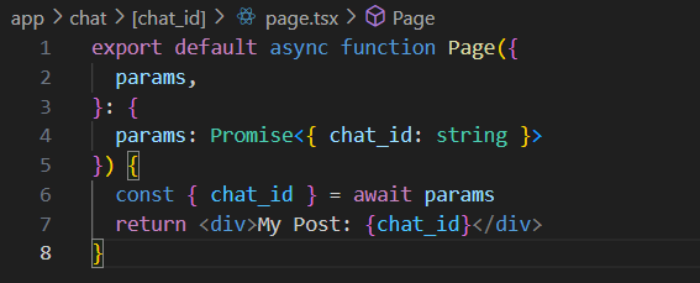
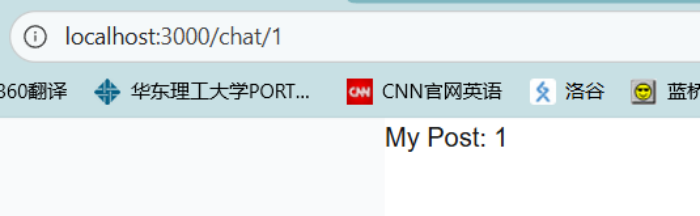
我们要做的是:在首页提出一个问题,点击输入,会生成一个新的对话,并跳转到一个动态路由的chat页面
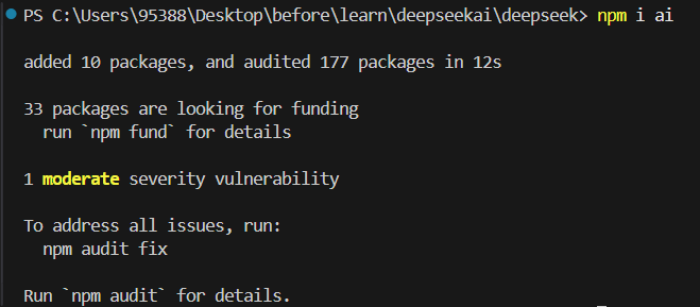
安装依赖:npm i ai(安装名为 ai 的 npm 包)
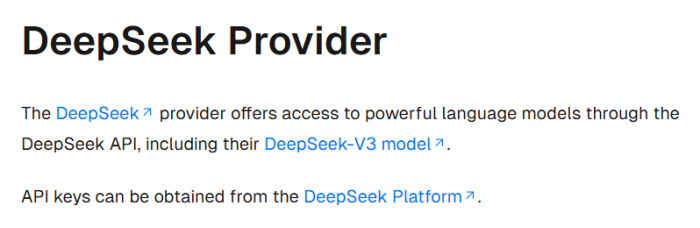
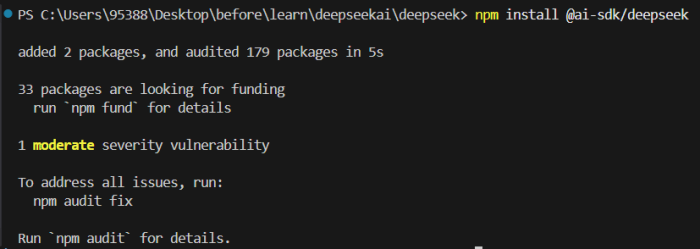
找到deepseek,安装依赖:npm install @ai-sdk/deepseek
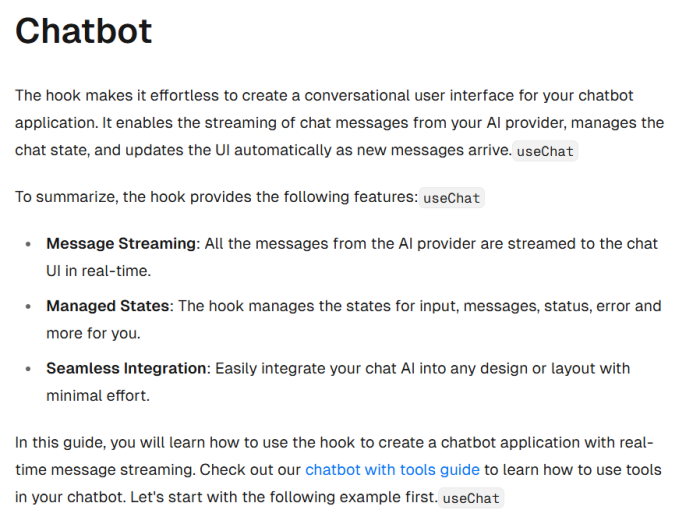
找到chatbot
'use client'; // 声明该组件为客户端组件

import { useChat } from '@ai-sdk/react'; // @ai-sdk/react 的钩子,用于管理聊天的核心状态
import { DefaultChatTransport } from 'ai'; // 定义与后端 AI 服务的通信方式,这里指定通过 /api/chat 接口交互
import { useState } from 'react'; // React 状态钩子,用于管理用户输入框的文本内容

export default function Page() {
  const { messages, sendMessage, status } = useChat({
    transport: new DefaultChatTransport({
      api: '/api/chat',
        // 通过 useChat 钩子配置通信接口(/api/chat),前端会通过这个接口发送用户消息并获取 AI 回复; 返回的核心变量:messages:存储所有聊天记录的数组; sendMessage:发送消息的函数; status:当前聊天状态
    }),
  });
  const [input, setInput] = useState(''); // 用 useState 维护输入框的文本内容:input 是当前输入的文本,setInput 用于实时更新输入框内容

  return (
    <>
      {messages.map(message => (
        <div key={message.id}>
          {message.role === 'user' ? 'User: ' : 'AI: '}
          {message.parts.map((part, index) =>
            part.type === 'text' ? <span key={index}>{part.text}</span> : null,
          )}
        </div>
      ))}

      <form
        onSubmit={e => {
          e.preventDefault();
          if (input.trim()) {
            sendMessage({ text: input });
            setInput('');
          }
        }}
      >
        <input
          value={input}
          onChange={e => setInput(e.target.value)}
          disabled={status !== 'ready'}
          placeholder="Say something..."
        />
        <button type="submit" disabled={status !== 'ready'}>
          Submit
        </button>
      </form>
    </>
  );
}
使用 React 和 AI SDK 构建的客户端聊天界面组件,用于实现与 AI 的实时对话功能,是一个前端聊天页面,用户可以输入文本并发送给后端 AI 服务,然后展示 AI 的回复,实现类似聊天机器人的交互效果。
首页代码:
'use client';

import { useState, useEffect, useRef } from 'react';
import EastIcon from '@mui/icons-material/East';
import StopIcon from '@mui/icons-material/Stop';
import CircularProgress from '@mui/material/CircularProgress';

// 定义消息类型
interface Message {
  id: string;
  role: 'user' | 'assistant';
  content: string;
  model?: string; // 新增:存储生成时使用的模型
}

export default function Home() {
  const [inputValue, setInputValue] = useState('');
  const [model, setModel] = useState('deepseek-chat');
  const [messages, setMessages] = useState<Message[]>([]);
  const [isLoading, setIsLoading] = useState(false);
  const [error, setError] = useState<string | null>(null);
  const messagesEndRef = useRef<HTMLDivElement>(null);
  const abortControllerRef = useRef<AbortController | null>(null);

  // 自动滚动到最新消息
  const scrollToBottom = () => {
    messagesEndRef.current?.scrollIntoView({ behavior: 'smooth' });
  };

  useEffect(() => {
    scrollToBottom();
  }, [messages]);

  // 中止对话
  const handleStopGeneration = () => {
    if (abortControllerRef.current) {
      abortControllerRef.current.abort();
      abortControllerRef.current = null;
      setIsLoading(false);
    }
  };

  // 发送消息处理
  const handleSendMessage = async (e: React.FormEvent) => {
    e.preventDefault();

    const trimmedInput = inputValue.trim();
    if (!trimmedInput || isLoading) return;

    // 添加用户消息
    const userMessage: Message = {
      id: Date.now().toString(),
      role: 'user',
      content: trimmedInput
    };

    setMessages(prev => [...prev, userMessage]);
    setInputValue('');
    setIsLoading(true);
    setError(null);

    // 创建 AbortController 用于中止请求
    abortControllerRef.current = new AbortController();

    try {
      const response = await fetch('/api/chat', {
        method: 'POST',
        headers: {
          'Content-Type': 'application/json',
        },
        body: JSON.stringify({
          messages: [...messages, userMessage],
          metadata: { model }
        }),
        signal: abortControllerRef.current.signal,
      });

      if (!response.ok) {
        throw new Error('请求失败');
      }

      const reader = response.body?.getReader();
      if (!reader) {
        throw new Error('无法读取响应');
      }

      // 添加助理消息占位符,并记录当前模型
      const assistantMessage: Message = {
        id: (Date.now() + 1).toString(),
        role: 'assistant',
        content: '',
        model: model // 保存生成时使用的模型
      };
      setMessages(prev => [...prev, assistantMessage]);

      // 读取流式响应
      while (true) {
        const { done, value } = await reader.read();
        if (done) break;

        const chunk = new TextDecoder().decode(value);
        const lines = chunk.split('\n');

        for (const line of lines) {
          if (line.startsWith('data: ') && !line.includes('data: [DONE]')) {
            try {
              const data = JSON.parse(line.slice(6));
              if (data.type === 'text-delta' && data.textDelta) {
                setMessages(prev => prev.map(msg =>
                  msg.id === assistantMessage.id
                    ? { ...msg, content: msg.content + data.textDelta }
                    : msg
                ));
              }
            } catch (e) {
              // 忽略解析错误
            }
          }
        }
      }
    } catch (err) {
      // 如果是用户主动中止,不显示错误信息
      if (err instanceof Error && err.name === 'AbortError') {
        console.log('用户中止了对话');
      } else {
        setError(err instanceof Error ? err.message : '发送失败');
      }
    } finally {
      setIsLoading(false);
      abortControllerRef.current = null;
    }
  };

  // 获取模型显示名称
  const getModelDisplayName = (modelType: string | undefined) => {
    return modelType === 'deepseek-reasoner' ? 'DeepSeek-Reasoner' : 'DeepSeek-Chat';
  };

  return (
    <div className="h-screen flex flex-col items-center bg-gray-50">
      {/* 顶部标题 */}
      <div className="h-16 flex items-center justify-center border-b border-gray-200 w-full bg-white">
        <h1 className="font-bold text-2xl text-gray-800">AI 对话助手</h1>
      </div>

      {/* 聊天消息区域 */}
      <div className="w-full max-w-3xl flex-1 overflow-y-auto px-4 py-6 space-y-6">
        {/* 错误提示 */}
        {error && (
          <div className="p-4 bg-red-100 text-red-700 rounded-lg shadow-sm">
            ⚠️ {error}
          </div>
        )}

        {/* 空状态提示 */}
        {messages.length === 0 && !error && (
          <div className="flex justify-center items-center h-32 text-gray-500">
            开始与 AI 对话吧...
          </div>
        )}

        {/* 消息列表 */}
        {messages.map((message) => (
          <div
            key={message.id}
            className={`flex ${message.role === 'user' ? 'justify-end' : 'justify-start'}`}
          >
            <div
              className={`max-w-[80%] p-4 rounded-2xl shadow-sm relative ${
                message.role === 'user'
                  ? 'bg-blue-500 text-white'
                  : 'bg-white border border-gray-200'
              }`}
            >
              <p className="whitespace-pre-wrap">
                {message.content}
              </p>

              {/* 在AI消息的右下角显示模型类型 */}
              {message.role === 'assistant' && (
                <div className="absolute bottom-1 right-3">
                  <span className="text-xs text-gray-400 opacity-70">
                    {getModelDisplayName(message.model)}
                  </span>
                </div>
              )}
            </div>
          </div>
        ))}

        {/* 加载状态 */}
        {isLoading && (
          <div className="flex justify-start">
            <div className="max-w-[80%] p-4 bg-white border border-gray-200 rounded-2xl shadow-sm">
              <div className="flex items-center justify-between">
                <div className="flex items-center gap-2">
                  <CircularProgress size={16} color="inherit" />
                  <span className="text-gray-500">AI 正在思考...</span>
                </div>
              </div>
            </div>
          </div>
        )}

        {/* 滚动锚点 */}
        <div ref={messagesEndRef} />
      </div>

      {/* 输入区域 */}
      <div className="w-full max-w-3xl mb-6 px-4">
        <form onSubmit={handleSendMessage}>
          <div className="flex flex-col shadow-lg border border-gray-300 rounded-lg overflow-hidden bg-white">
            {/* 输入框 */}
            <textarea
              className="w-full p-4 focus:outline-none resize-none min-h-[100px] max-h-[200px] font-sans"
              value={inputValue}
              onChange={(e) => setInputValue(e.target.value)}
              disabled={isLoading}
              placeholder={!isLoading ? "请输入您的问题..." : "AI 正在回复中..."}
              onKeyDown={(e) => {
                if (e.key === 'Enter' && !e.shiftKey) {
                  e.preventDefault();
                  handleSendMessage(e);
                }
              }}
            />

            {/* 底部工具栏 */}
            <div className="flex items-center justify-between w-full h-14 border-t border-gray-200 bg-gray-50 px-4">
              {/* 模型选择 */}
              <div className="flex gap-2">
                <button
                  type="button"
                  className={`px-3 py-1 rounded-full text-sm transition-all ${
                    model === 'deepseek-chat'
                      ? 'border-blue-500 bg-blue-100 text-blue-700'
                      : 'border-gray-300 hover:bg-gray-100'
                  }`}
                  onClick={() => setModel('deepseek-chat')}
                  disabled={isLoading}
                >
                  通用对话
                </button>
                <button
                  type="button"
                  className={`px-3 py-1 rounded-full text-sm transition-all ${
                    model === 'deepseek-reasoner'
                      ? 'border-blue-500 bg-blue-100 text-blue-700'
                      : 'border-gray-300 hover:bg-gray-100'
                  }`}
                  onClick={() => setModel('deepseek-reasoner')}
                  disabled={isLoading}
                >
                  推理模型
                </button>
              </div>

              {/* 发送/停止按钮 */}
              {isLoading ? (
                <button
                  type="button"
                  onClick={handleStopGeneration}
                  className="flex items-center gap-1 px-4 py-2 text-red-600 hover:bg-red-50 rounded-full transition-all"
                >
                  <StopIcon fontSize="small" />
                  停止生成
                </button>
              ) : (
                <button
                  type="submit"
                  disabled={!inputValue.trim()}
                  className={`p-2 rounded-full transition-all ${
                    inputValue.trim()
                      ? 'bg-blue-500 text-white hover:bg-blue-600'
                      : 'bg-gray-200 text-gray-500 cursor-not-allowed'
                  }`}
                >
                  <EastIcon />
                </button>
              )}
            </div>
          </div>
        </form>
      </div>
    </div>
  );
}
后端代码:
// app/api/chat/route.ts
import { NextRequest, NextResponse } from 'next/server';
import OpenAI from 'openai';

const openai = new OpenAI({
  baseURL: 'https://api.deepseek.com/v1',
  apiKey: process.env.DEEPSEEK_API_KEY || '',
});

export async function POST(req: NextRequest) {
  try {
    const { messages, metadata } = await req.json();

    const validModels = ['deepseek-chat', 'deepseek-reasoner'];
    const modelName = validModels.includes(metadata?.model)
      ? metadata.model
      : 'deepseek-chat';

    // 格式化消息
    const formattedMessages = messages.map((msg: any) => ({
      role: msg.role,
      content: msg.content,
    }));

    const completion = await openai.chat.completions.create({
      model: modelName,
      messages: formattedMessages,
      stream: true,
    });

    // 创建流式响应
    const stream = new ReadableStream({
      async start(controller) {
        const encoder = new TextEncoder();
        try {
          for await (const chunk of completion) {
            const content = chunk.choices[0]?.delta?.content;
            if (content) {
              // 发送文本增量
              controller.enqueue(
                encoder.encode(`data: ${JSON.stringify({
                  type: 'text-delta',
                  textDelta: content
                })}\n\n`)
              );
            }
          }
          // 发送结束标记
          controller.enqueue(encoder.encode('data: [DONE]\n\n'));
        } catch (err) {
          controller.error(err);
        } finally {
          controller.close();
        }
      },
    });

    return new NextResponse(stream, {
      headers: {
        'Content-Type': 'text/event-stream',
        'Cache-Control': 'no-cache',
        'Connection': 'keep-alive',
      },
    });

  } catch (error) {
    console.error('DeepSeek API 调用错误:', error);
    return NextResponse.json(
      { error: 'AI 回复生成失败,请稍后再试' },
      { status: 500 }
    );
  }
}
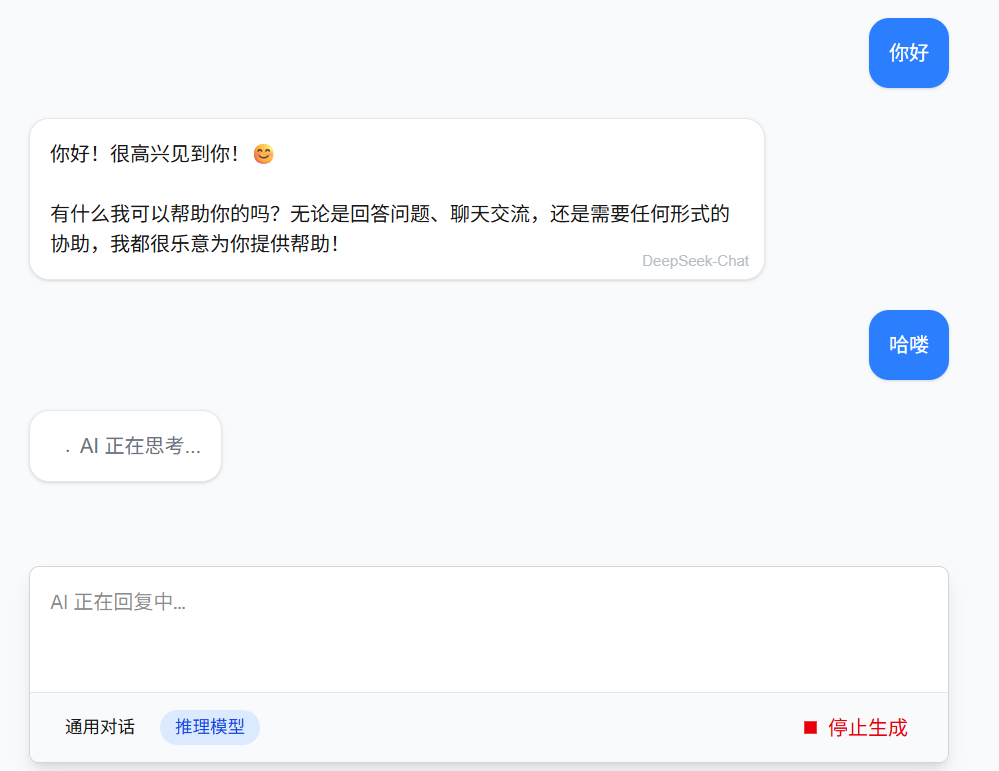
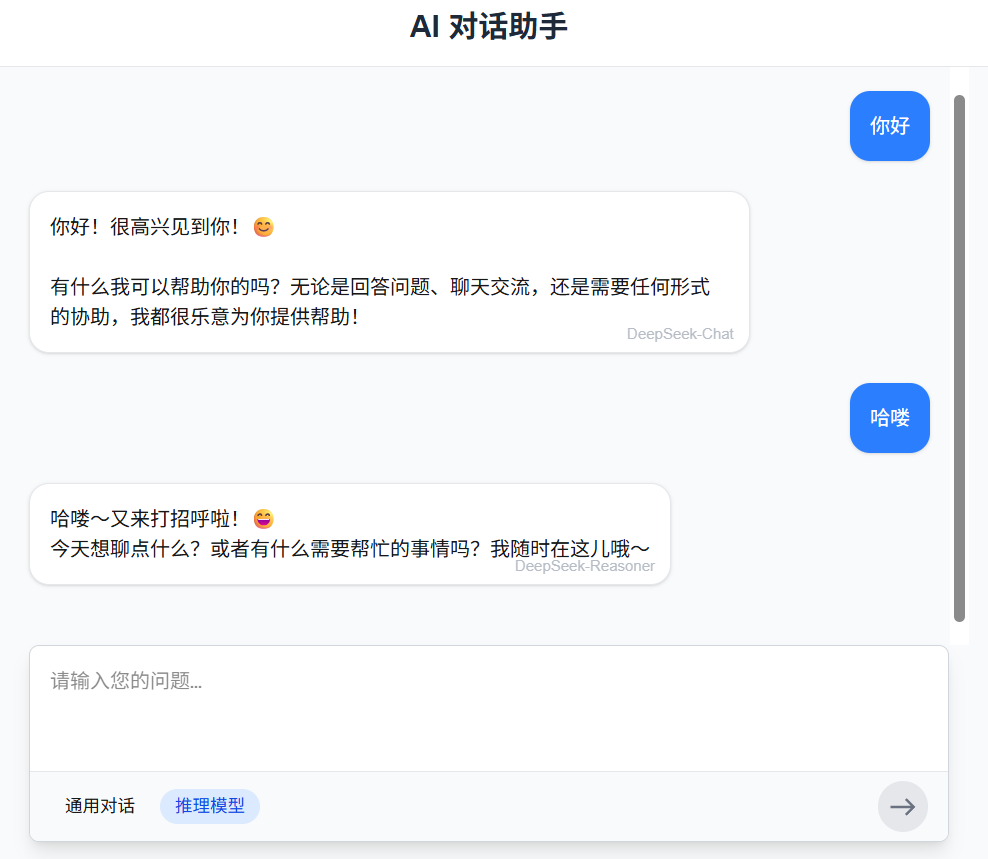
运行结果:

葡萄城是专业的软件开发技术和低代码平台提供商,聚焦软件开发技术,以“赋能开发者”为使命,致力于通过表格控件、低代码和BI等各类软件开发工具和服务
更多推荐


 45
45 0
0- 0


 已为社区贡献1条内容

所有评论(0)